
FAQS
How to Choose the Best Industrial RFID Tablets?
Choosing the right INDUSTRIAL RFID TABLETS is not a simple specification exercise. It is a field decision shaped by dust, gloves, noise, cold storage rooms, and rushed operators. A tablet that performs well in a showroom may fail beside a loading dock. That difference matters.
Mark Roberti, founder of RFID Journal, once said, “RFID is not a technology looking for an application.” His point remains practical. The best device must solve a clear operational problem, such as locating returnable containers, verifying pallets, or updating inventory without repeated scanning. Selection should begin with workflow evidence, not impressive marketing claims.
Look closely at the environment. An IP65 or higher rating can protect against dust and water spray. A sunlight-readable display improves accuracy outdoors. A strong UHF RFID reader should capture tagged items quickly, even when several labels overlap. Physical buttons may help workers wearing thick gloves. A removable battery can support long shifts, although it may increase device weight. That trade-off deserves honest testing.
Compatibility also matters. Check Android support, wireless stability, barcode performance, device management, and integration with warehouse software. Ask suppliers for drop-test details and realistic reading distances. Test the tablet with your actual tags.
Small failures become expensive.
No device is perfect. A lighter model may offer shorter battery life. A powerful reader may feel awkward during constant movement. Field trials expose these compromises before purchase. The strongest choice is not always the most advanced tablet. It is the one workers can trust, maintain, and use correctly every day.
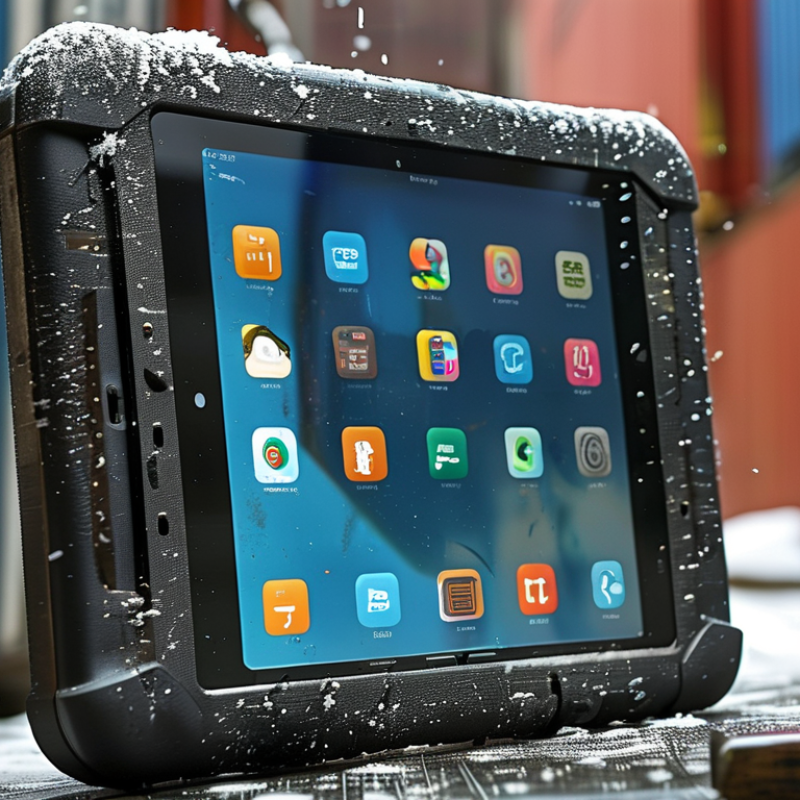
Define Your Industrial RFID Tablet Requirements
How to Choose the Best Industrial RFID Tablets?
Define Your Industrial RFID Tablet Requirements
An industrial RFID tablet should begin with a worksite problem, not a feature list. Map each task carefully. Will operators scan pallets, metal bins, vehicle parts, or sealed cartons? Record tag frequency, read distance, expected scan volume, and required accuracy. MHI’s 2023 Annual Industry Report found that 74% of supply-chain professionals planned RFID adoption by 2025. That growth makes requirement definition more important, not less.
Start with the environment. Measure dust, moisture, vibration, temperature changes, and glove use. An IP65 rating may suit a clean warehouse, but harsher areas may require stronger protection. The IEC 60529 standard provides a useful reference for ingress protection. Also check drop resistance, screen brightness, battery replacement, and charging time. Small delays become costly during shift changes. Very costly.
RF performance needs practical testing. Metal surfaces can distort signals, while dense racks can create missed reads. Ask for tests using your actual tags, materials, and reader distance. Confirm support for the required RFID frequency and regional radio rules. VDC Research’s rugged mobile computing studies consistently identify durability and lifecycle support as major purchasing criteria. Yet specifications can mislead. A tablet may survive laboratory drops but fail when operators wear thick gloves. That gap deserves honest review. Define acceptable read-error rates, offline operation, mounting options, security controls, and service expectations before comparing devices. Capture the operator’s view, too. They notice discomfort first.
How to Choose the Best Industrial RFID Tablets?
Define your requirements by prioritizing the capabilities that most affect reliability, productivity, and safety in industrial environments.
The priority scores reflect common selection factors for warehouse, manufacturing, logistics, and field-service applications. Rugged protection, RFID performance, battery endurance, and connectivity should be matched to the working environment and workflow.
Evaluate RFID Performance and Operating Capabilities
Choosing the Best Industrial RFID Tablets
Industrial RFID work begins with reliable reads, not impressive specifications. Test the tablet with your actual tags, materials, and storage layout. Metal racks, liquid containers, and tightly packed cartons can reduce read accuracy. A useful device should maintain stable performance when tags face different directions. Read distance matters, but controlled close-range accuracy may matter more.
Check both reading and writing capabilities. Some operations require identifying hundreds of tags quickly, while others need precise single-tag selection. Measure read speed, missed reads, duplicate reads, and recovery time after interference. I once assumed a longer range would improve productivity. It created unwanted reads from nearby pallets. That experience changed my testing method.
Operating capability includes more than RFID hardware. The processor should handle inventory software without delays during continuous scanning. A bright display, physical buttons, and glove-friendly controls support workers in cold or dusty areas. Battery life should cover a full shift, including wireless communication and repeated scans. Look for drop resistance, sealed ports, and a comfortable grip. Small design flaws become serious after eight hours.
Confirm Wi-Fi and cellular performance inside warehouses, where signal quality can change sharply. Offline data storage is valuable when connections fail. Security controls, update support, and user permissions also deserve practical testing. Specifications help, but field trials reveal weaknesses. Leave room for reconsideration. A tablet that performs well in a quiet demo may struggle during peak receiving hours.
Compare Durability, Connectivity, and Battery Life
How to Choose the Best Industrial RFID Tablets?
Compare Durability, Connectivity, and Battery Life
A reliable industrial RFID tablet must survive real work, not just laboratory demonstrations. Check its drop rating, sealed enclosure, screen protection, and resistance to dust and water. An IP65 or higher rating can help in warehouses, but sealing alone does not prevent every failure. Test the tablet with gloves, safety glasses, and wet hands. A bright display matters when operators move between indoor aisles and loading areas.
Connectivity deserves equal attention. Confirm stable Wi-Fi roaming across metal racks and concrete walls. If the tablet moves outside the facility, cellular support may be practical. RFID range also depends on tag position, reader power, and nearby materials. Run tests with actual cartons and pallets. Specifications can look impressive. Reality is less polite.
Tips: Choose a tablet with replaceable or hot-swappable batteries for long shifts. Measure battery performance during continuous scanning, screen brightness, and wireless use. Cold storage can reduce runtime sharply. Keep a spare charging plan. In my field testing, a device that lasted eight hours in an office sometimes lasted only five hours in a busy warehouse. That difference can interrupt handovers. Also inspect charging ports, buttons, and scanner triggers after repeated use. Small weaknesses often appear before major failures.
Assess Software Integration and Data Security
When choosing an industrial RFID tablet, examine how it connects with your existing software. A rugged device is useful only when its data moves reliably through your workflow. Test compatibility with warehouse management, asset tracking, and maintenance platforms. Ask whether the tablet supports standard application interfaces, offline operation, and controlled synchronization. In a real warehouse, metal shelving and weak signals can interrupt communication. Your team should test these conditions before purchase. A smooth demonstration is not enough.
Tips: Request a practical trial with real tags, scanners, and user accounts. Check whether operators can complete tasks with gloves. Review update controls, audit logs, and permission settings. Small delays matter.
Data security needs equal attention. Look for encrypted storage and secure network connections. Strong authentication should support individual accounts, not shared passwords. The system should record logins, edits, and exported files. Confirm how quickly administrators can disable a lost tablet. Also inspect the update process. Devices that cannot receive verified security patches may create future risks. I have seen projects focus heavily on scanning speed while overlooking access permissions. That mistake can become expensive. Ask where data is stored, who can view it, and how long records remain available. Security requirements may change as operations grow, so avoid choosing a system that only meets today’s checklist.
How to Choose the Best Industrial RFID Tablets? - Assess Software Integration and Data Security
Evaluation framework for comparing industrial RFID tablet solutions without relying on brand-specific claims.
| Evaluation Dimension | Recommended Baseline | Preferred Target | Suggested Weight | Verification Method | Why It Matters |
|---|---|---|---|---|---|
| Operating System Support | Supported mobile operating system with a documented security-update policy. | Long-term support version with controlled update channels and application compatibility testing. | 8% | Review lifecycle documentation and test the target application on the proposed OS version. | Reduces compatibility risk and limits exposure to unpatched vulnerabilities. |
| Application Programming Interfaces | Documented APIs or SDKs for RFID reading, device status, trigger control, and inventory events. | Versioned SDK with sample code, backward compatibility, and clear error handling. | 12% | Build a proof-of-concept covering tag discovery, filtering, writes, retries, and exception handling. | Shortens integration time and improves reliability in warehouse or field applications. |
| Enterprise System Integration | REST or HTTPS support with JSON payloads and authentication controls. | REST, webhooks, message queues, and configurable connectors for ERP, WMS, MES, or asset-management systems. | 12% | Validate endpoint security, schema mapping, rate limits, retries, and duplicate-event handling. | Prevents manual re-entry and supports near-real-time inventory visibility. |
| RFID Standards and Operation | Support for the required RFID frequency, reader protocol, tag memory operations, and regional radio settings. | Configurable read power, session parameters, tag filtering, antenna controls, and regional compliance profiles. | 10% | Test representative tags, read density, read/write performance, and operation in the intended country or region. | Ensures the tablet performs consistently with the actual tag population and operating environment. |
| Offline Data Handling | Local queue for records captured during temporary network loss. | Encrypted local storage, automatic synchronization, conflict resolution, retry control, and user-visible sync status. | 10% | Disable connectivity during a controlled test and verify record integrity after reconnection. | Maintains operational continuity in warehouses, yards, basements, and remote sites. |
| Encryption in Transit and at Rest | TLS-protected network traffic and encrypted device storage. | Modern TLS configuration, certificate validation, hardware-backed key storage, and encrypted application databases. | 12% | Inspect security configuration, certificate behavior, key-management documentation, and storage artifacts. | Protects RFID records, credentials, and business data from interception or unauthorized extraction. |
| Identity and Access Management | Individual user accounts with role-based permissions. | Single sign-on, multi-factor authentication, least-privilege roles, session timeout, and account revocation. | 10% | Test administrator, supervisor, operator, and read-only roles, including lost-device response. | Limits unauthorized changes to inventory, tag memory, and connected enterprise systems. |
| Device Management | Remote configuration, application deployment, inventory, and device lock or wipe. | Mobile device management support with compliance policies, certificate deployment, kiosk mode, and remote diagnostics. | 10% | Enroll test devices and verify policy enforcement, application updates, lock, wipe, and recovery procedures. | Provides centralized control across large fleets and reduces operational support costs. |
| Auditability and Monitoring | Logs for user sign-in, RFID actions, synchronization, errors, and configuration changes. | Tamper-resistant, timestamped logs exportable to a centralized monitoring or SIEM platform. | 8% | Generate test events and confirm event completeness, time accuracy, retention, and export format. | Supports investigations, regulatory evidence, process accountability, and troubleshooting. |
| Security Maintenance | Published vulnerability-reporting process and documented update responsibilities. | Defined patch timelines, signed software packages, release notes, penetration-test summaries, and incident-notification procedures. | 8% | Review security advisories, software-signing controls, service-level commitments, and update history. | Shows whether protection can be maintained throughout the device and application lifecycle. |
| Total Evaluation Weight | 100% | Use the same test script and evidence requirements for every shortlisted solution. | |||
Select the Best Model for Your Budget and Workflow
Choosing the best industrial RFID tablet starts with the workflow, not the screen size. A warehouse picker may need a lightweight device, pistol grip, and fast tag capture. A cold-storage operator needs sealed housing, glove-friendly controls, and a battery that survives long shifts. An IP65 rating helps against dust and water, but it does not guarantee protection from every drop or chemical exposure.
Budget decisions should include the total cost of ownership. Grand View Research valued the global RFID market at over 14 billion dollars in 2022 and expects continued double-digit growth through 2030. MarketsandMarkets also forecasts strong expansion, although its estimates differ. That gap deserves attention. Market forecasts are useful, but your own scan volume matters more. Compare reader range, read accuracy, charging time, repair costs, software support, and integration fees. A low-priced tablet can become expensive when workers repeat scans.
Test the model in real conditions. Use thick gloves. Scan crowded pallets. Walk through metal racks. Check performance near forklifts and loading doors. A device that performs well in a showroom may struggle beside reflective surfaces. Select Android support based on your replacement cycle, not today’s purchase price. Independent studies on mobile workforces repeatedly link better device ergonomics with improved task efficiency, but comfort is often measured poorly. We should admit that. A heavier tablet may offer stronger protection, yet still slow workers after six hours. Run a short pilot, record failed reads, and ask operators what they would change.
Skip to content
